MacPro SSD Fitting

Two years ago I added a SSD drive to my office MacPro. At that time I found a very useful blog post showing how to do it. I’ve just acquired another SSD drive and can no longer find the blog post. So, I’m posting what I did just to help anyone else out there who can’t find the original post about adding a 2.5 inch SSD drive to a MacPro 1,1 drive drawer/tray/sled without using an adaptor.

Things you’ll need:

  • 2.5 inch SSD
  • CD/DVD
  • A drive tray/drawer/sled.
  • Tape
  • Scissors
  • Pen

2014-03-19 10.09.23

Place the sled on top of the CD/DVD and draw along the edges with a pen
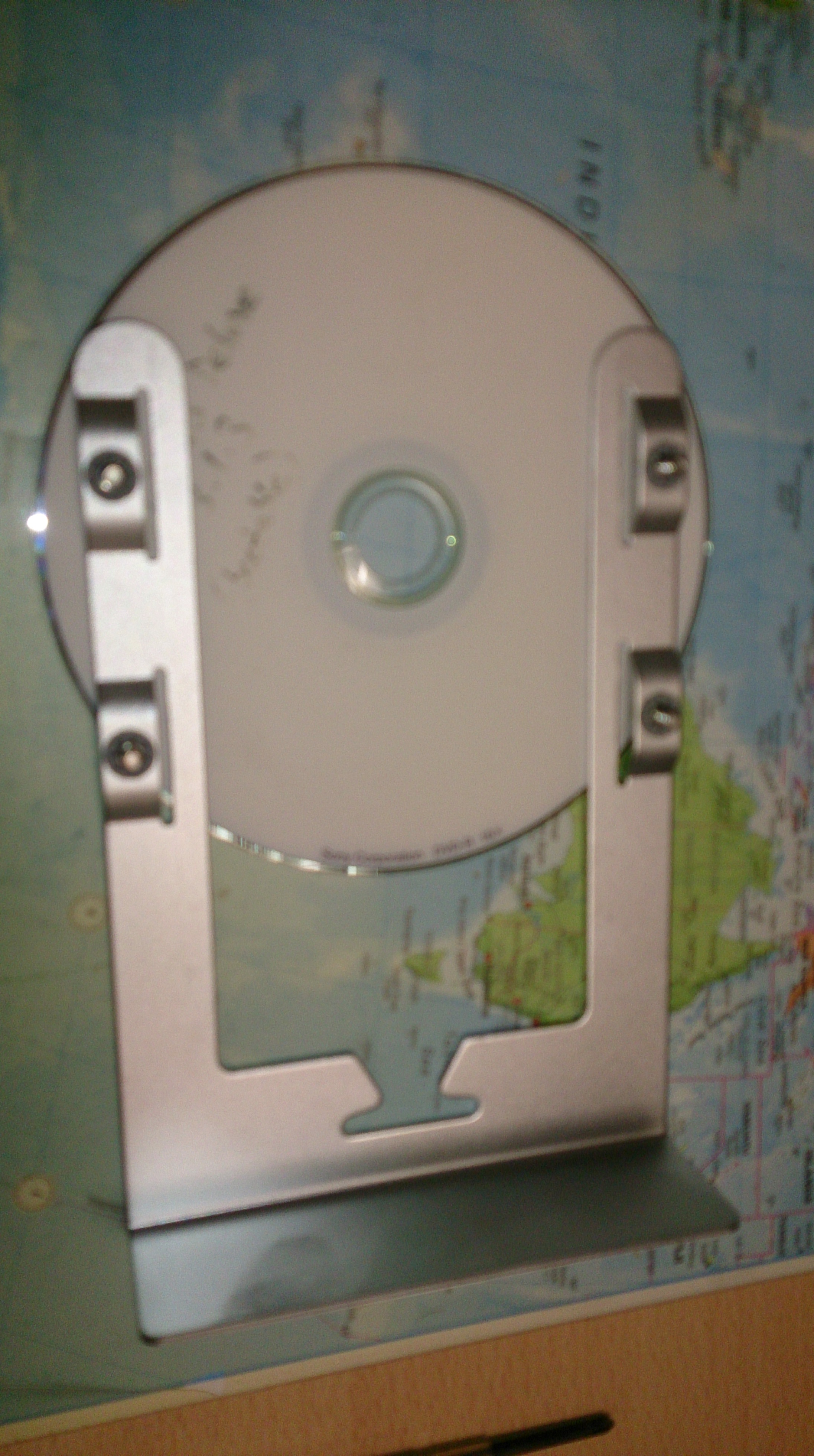
2014-03-19 10.09.36

You will have something like this.

2014-03-19 10.10.34

Cut off the sides of the CD/DVD with the scissors.

2014-03-19 10.12.02

Tape the CD to the sled and then tape the SSD on top of that. There needs to be about a 20mm overhang, and also the SSD needs to be 2mm in from the edge.
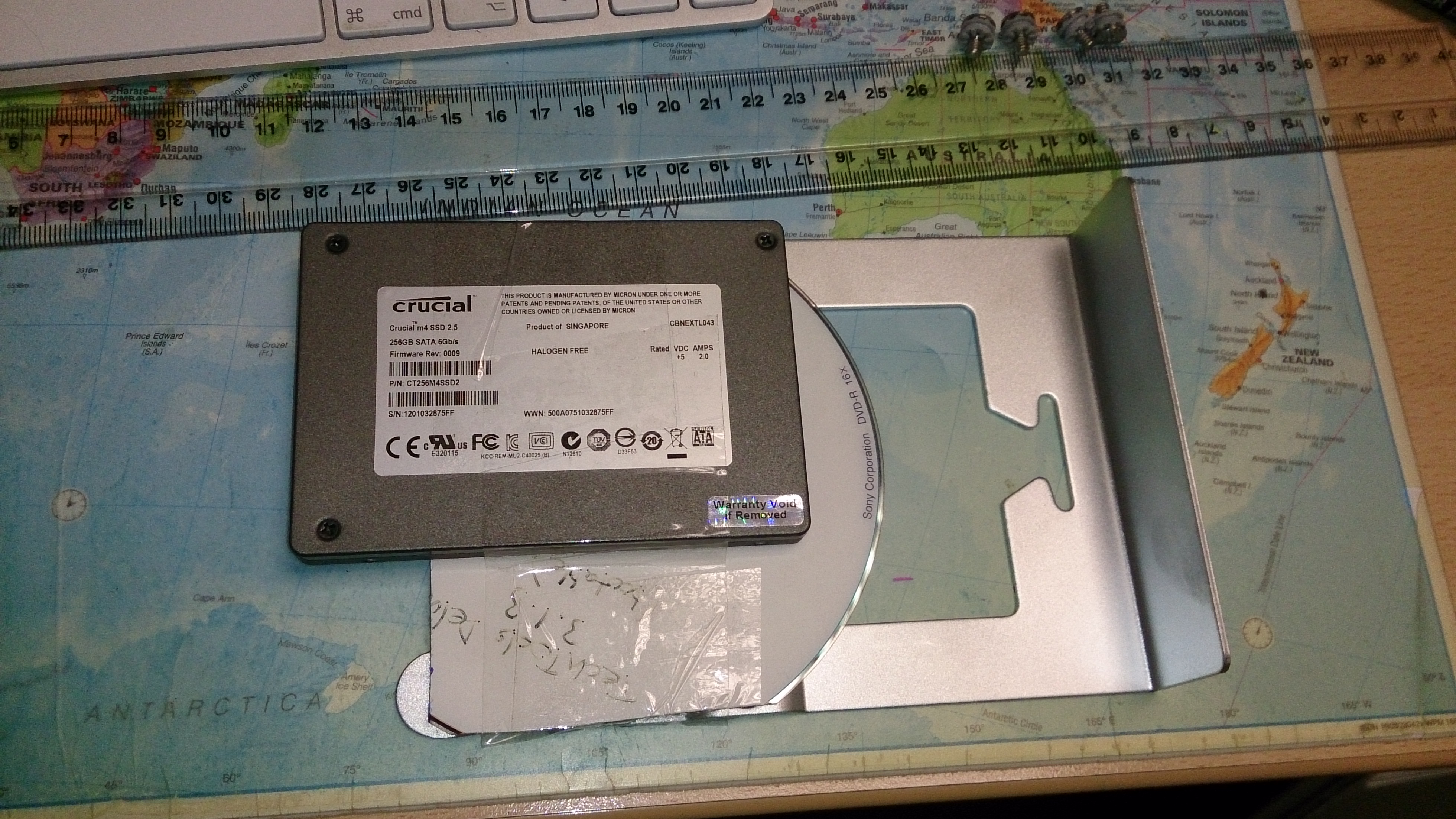
2014-03-19 10.18.32

With the scissors cut through any tape that is overhanging underneath. This will allow the sled to side back in to the Mac.
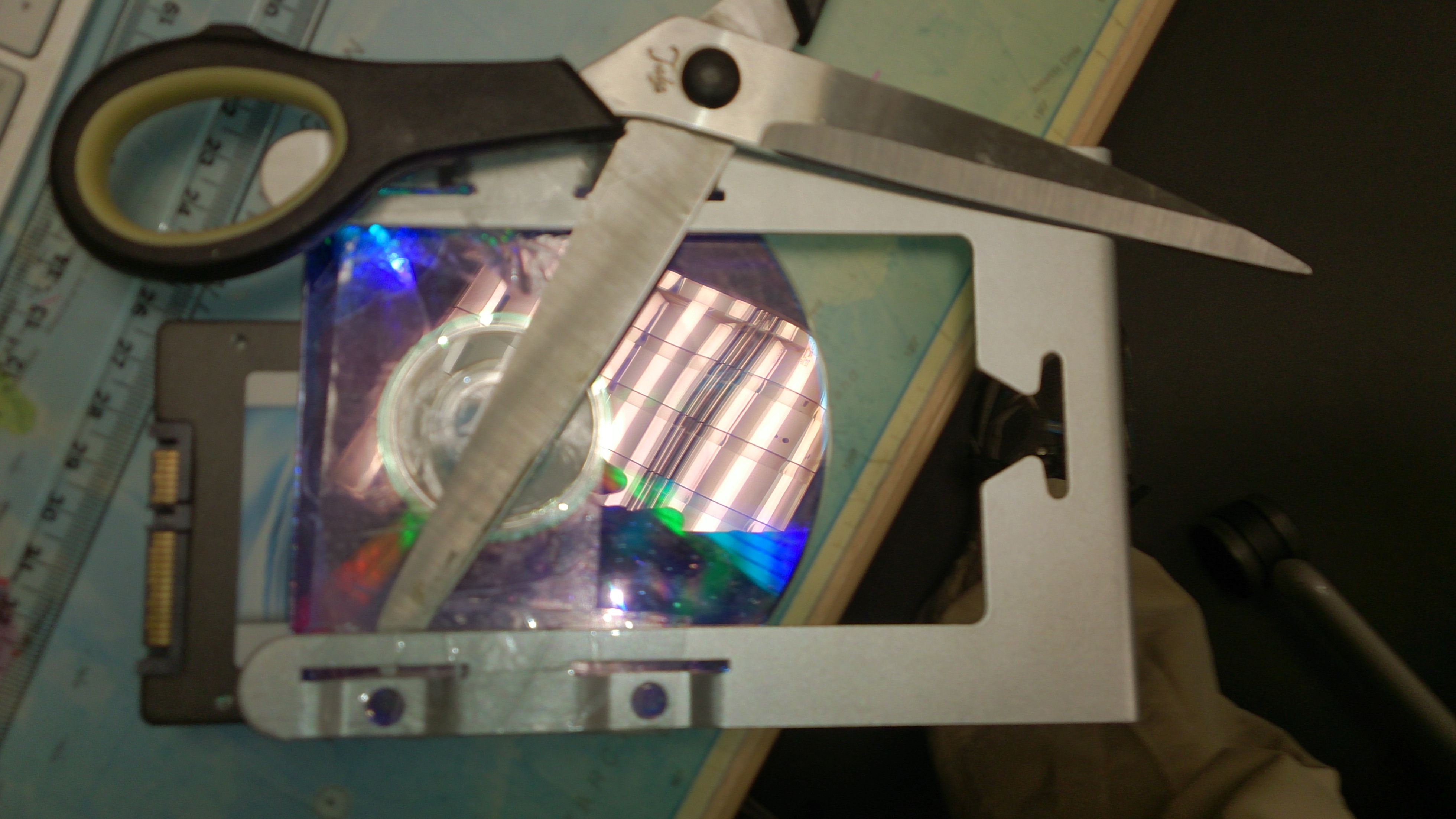
2014-03-19 10.19.24

Slide the sled back in and the SATA connector should all line up.
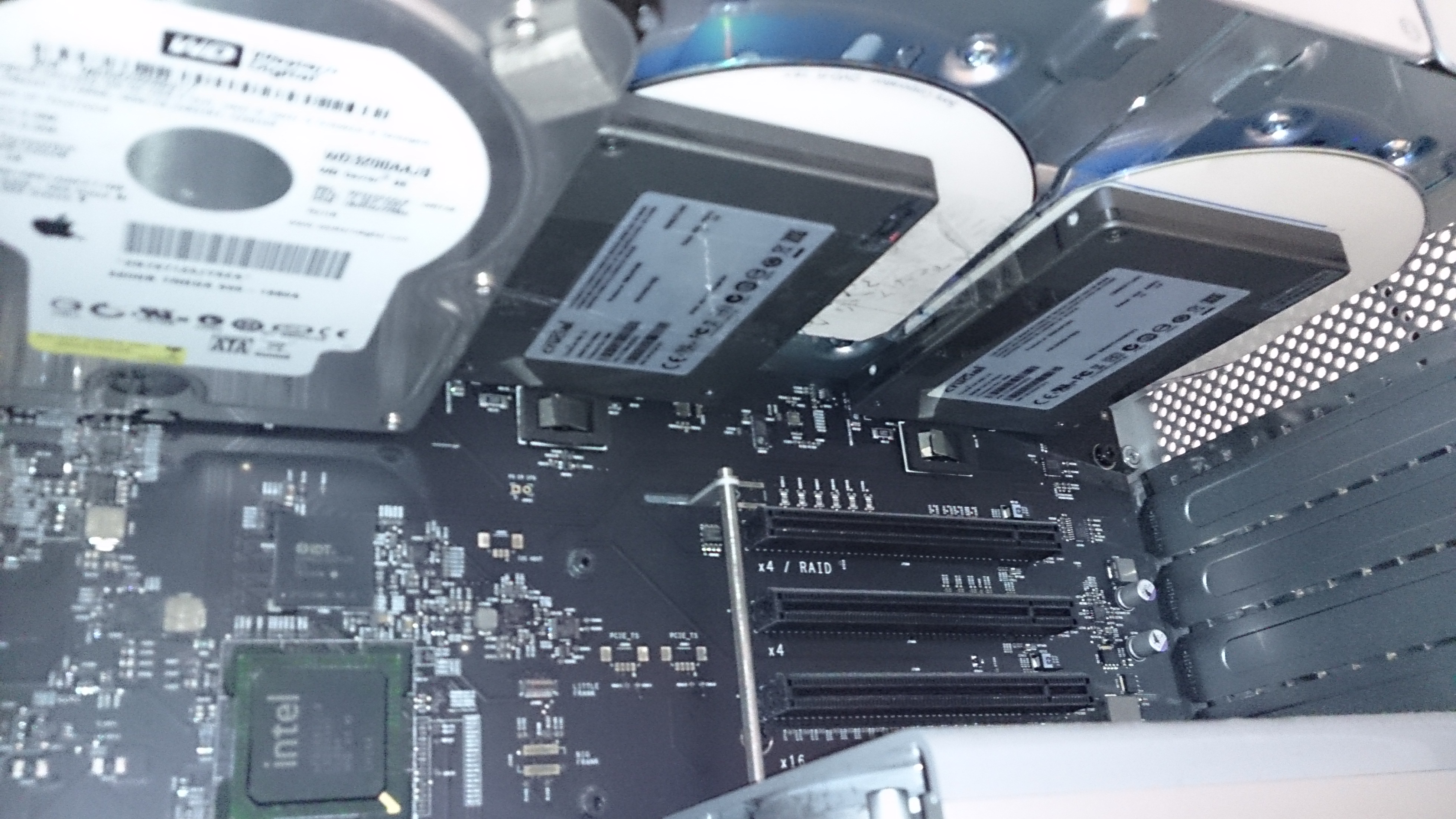
2014-03-19 10.21.06

Job done.

Coffee filter basket funnel – Take 1

After seeing something similar used at Nude Espresso, I’ve been looking to buy a funnel type thing to help stop getting coffee grounds everywhere when filling the filter basket.

This is take one of producing the part. There is some work still to do. Mainly reducing the size and correcting the dimensions.

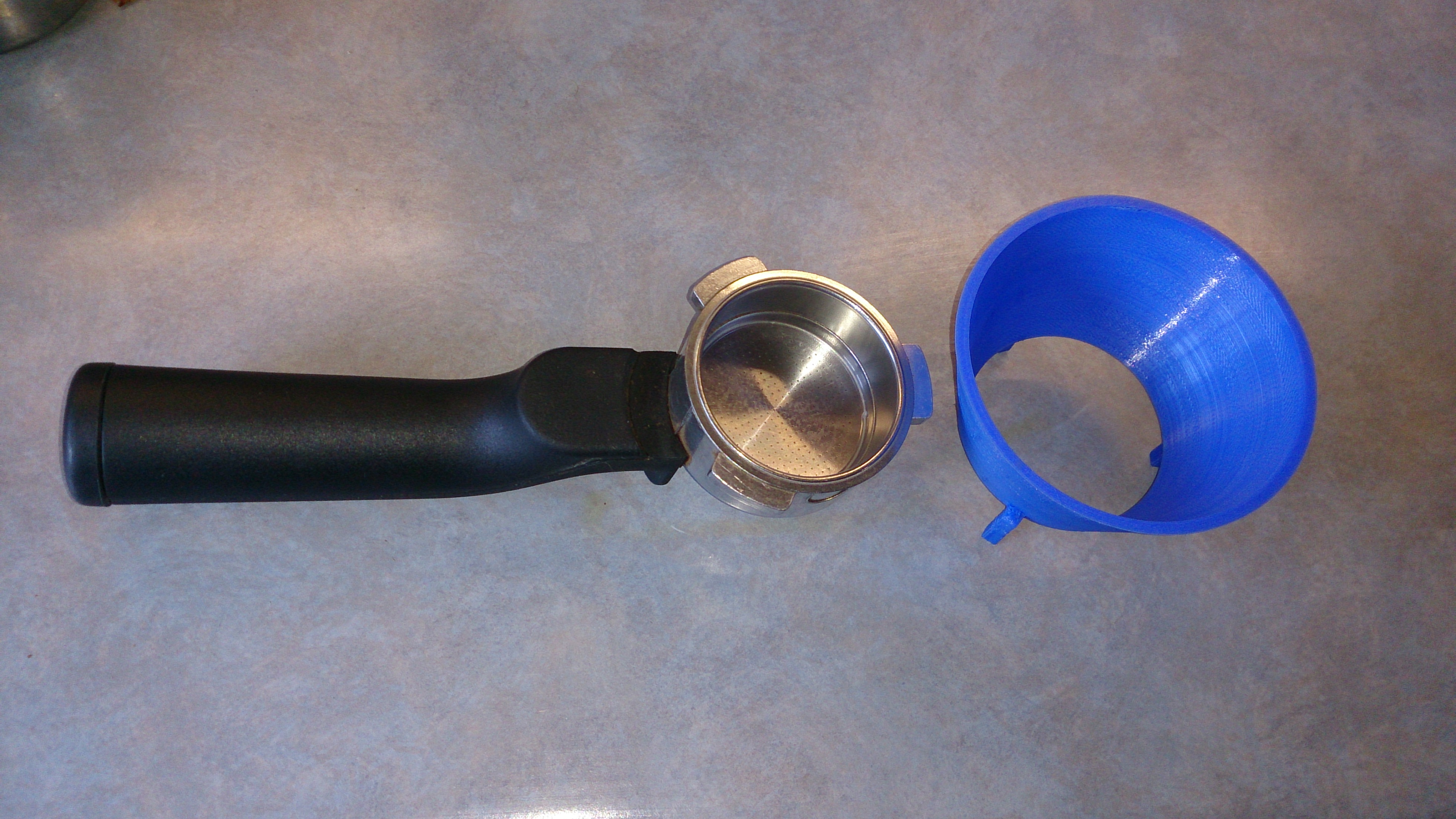
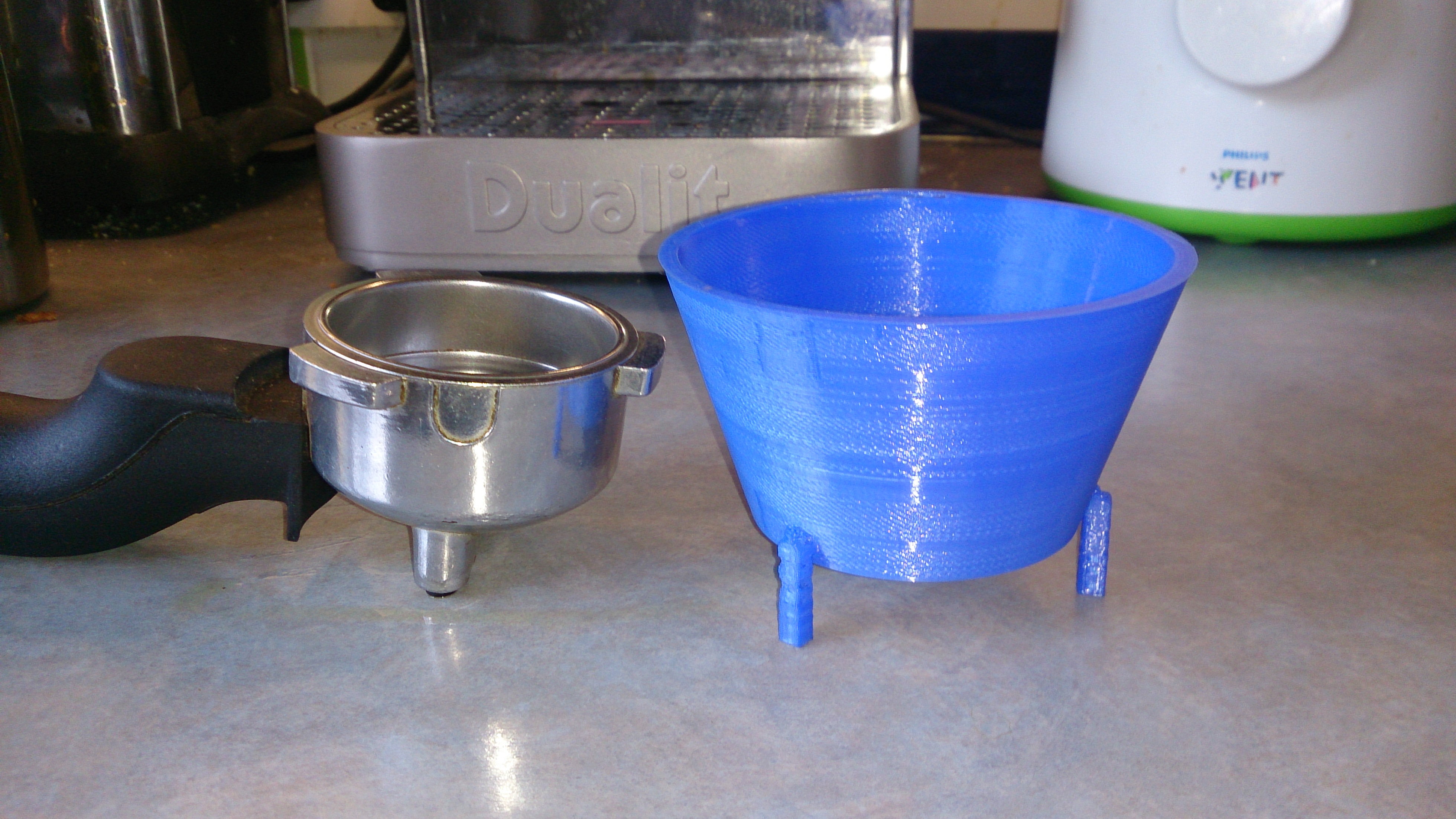
This is it. Designed in Sketchup and printed on Ryan’s Ultimaker. This is a draft print just to see if the design was anywhere close.  The first print took 2 hours.

2014-03-27 09.17.10 2014-03-27 09.17.19

The idea is for the filter funnel to sit on top of the basket so that when I add the coffee grounds, they stay in the basket ready for tamping. It is a bit too high.  The next revision I’ll half the height.

2014-03-27 09.17.33

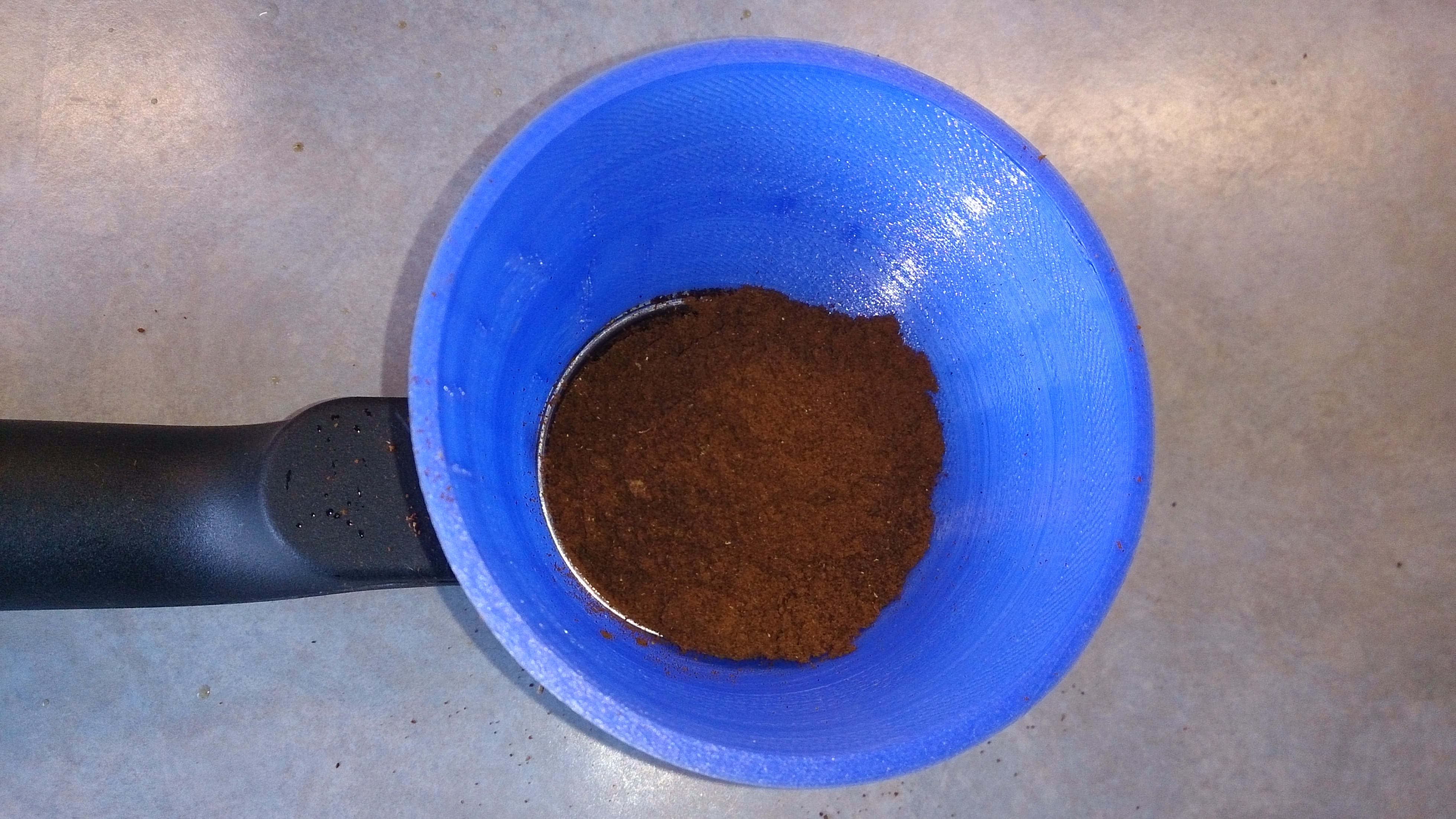
Once the coffee has been added, it looks like the diameter is too wide. I designed it to sit just outside the lip of the basket. I need to alter this to sit inside the lip as I still have coffee spillage.

2014-03-27 09.21.19

Some minor coffee loss.

2014-03-27 09.22.14

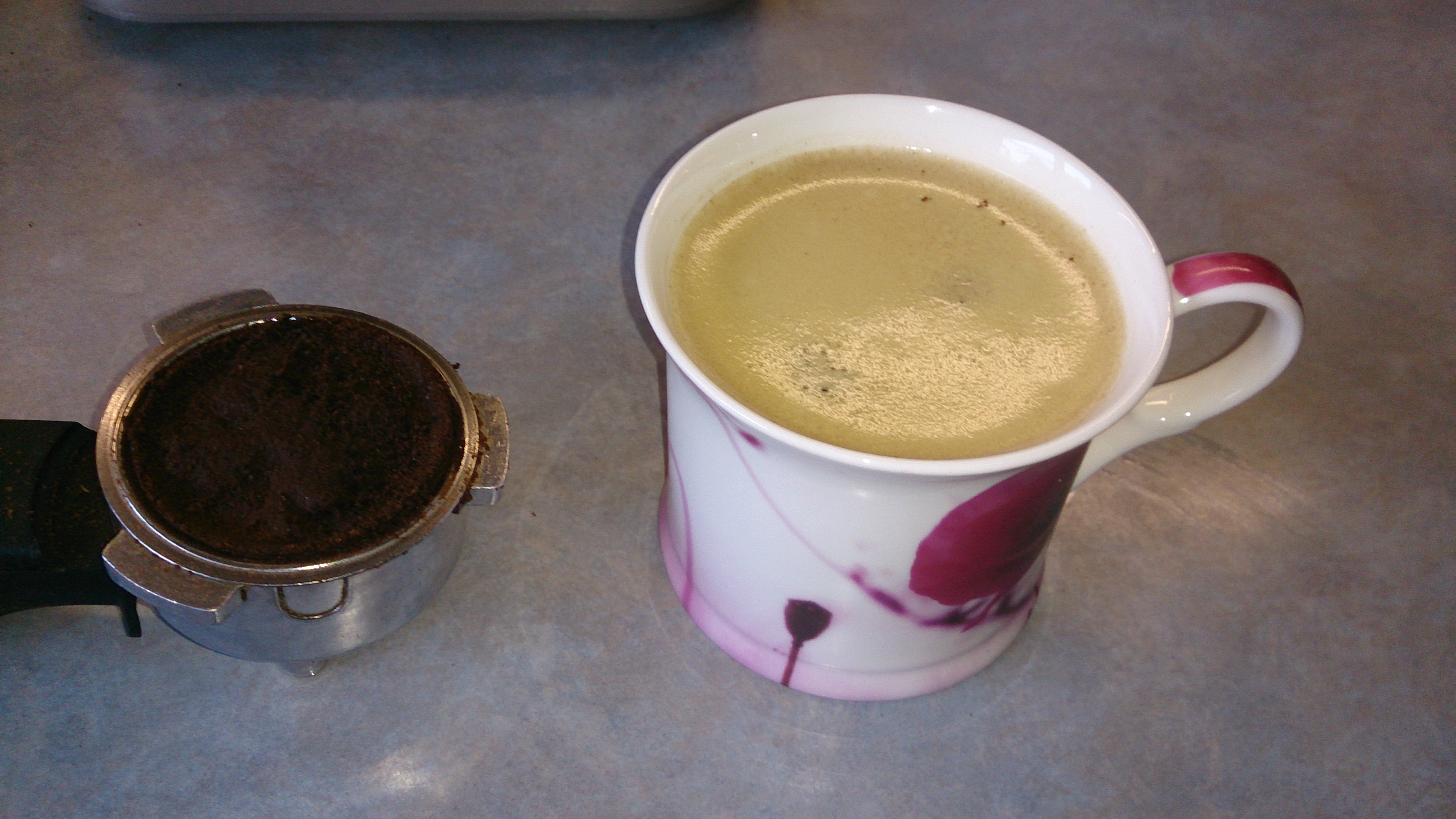
The finished product. One tasty americano.

2014-03-27 09.25.14

TextMate Ruby error with Mac OS X Mavericks

Are you getting a TextMate error like this after upgrading your Mac to Mavericks

/Applications/TextMate.app/Contents/SharedSupport/Support/lib/ui.rb:129: warning: assigned but unused variable - pid
/Applications/TextMate.app/Contents/SharedSupport/Support/lib/progress.rb:57: warning: shadowing outer local variable - params
/Applications/TextMate.app/Contents/SharedSupport/Support/lib/progress.rb:55: warning: assigned but unused variable - ui_process
/System/Library/Frameworks/Ruby.framework/Versions/2.0/usr/lib/ruby/2.0.0/rubygems/core_ext/kernel_require.rb:45:in `require': /Applications/TextMate.app/Contents/SharedSupport/Support/lib/shelltokenize.rb:74: invalid multibyte escape: /[^\w_\-\+=\/\x7F-\xFF]/ (SyntaxError)
from /System/Library/Frameworks/Ruby.framework/Versions/2.0/usr/lib/ruby/2.0.0/rubygems/core_ext/kernel_require.rb:45:in `require'
from /Applications/TextMate.app/Contents/SharedSupport/Bundles/Subversion.tmbundle/Support/svn_diff.rb:7:in `<top (required)>'
from /System/Library/Frameworks/Ruby.framework/Versions/2.0/usr/lib/ruby/2.0.0/rubygems/core_ext/kernel_require.rb:45:in `require'
from -:3:in `<main>'

To fix. Simply downgrade the version of Ruby from 2.0 to 1.8. Both versions are installed. So it is as simple as changing a symbolic link.

Open Terminal which can be found in /Applications/Utilities then run the following commands:

cd /System/Library/Frameworks/Ruby.framework/Versions
sudo rm Current
sudo ln -s 1.8 Current

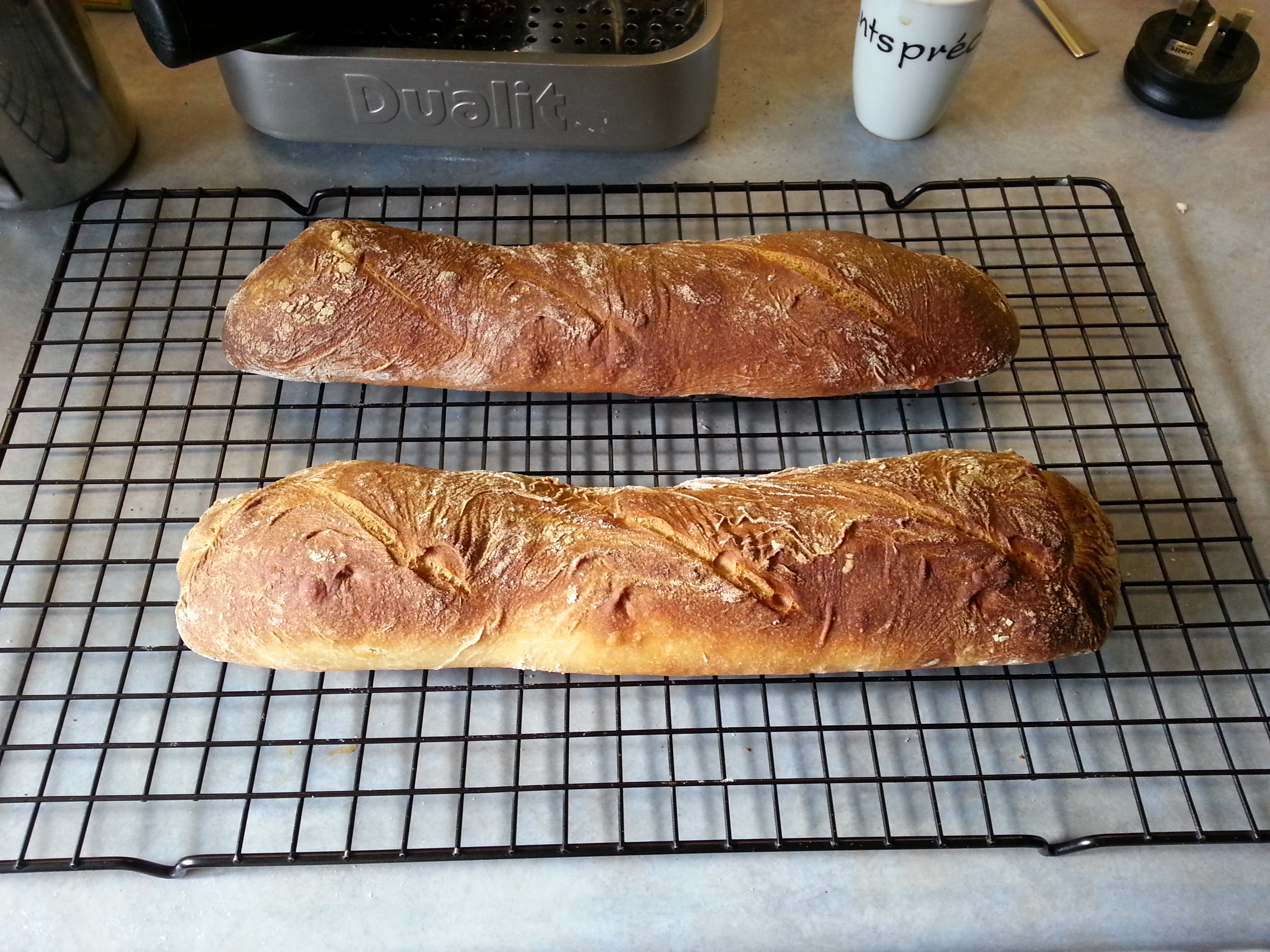
Today’s baguettes

2013-04-11 16.18.10This is my second attempt at baguettes and this time they have turned out OK.  The first attempt was really flat, spread out and just a bit wrong.

The recipe I have used is based on the Paul Hollywood Baguette recipe from the BBC but with some modifications.  Firstly I don’t have a £400 mixer and so mixed with my hand mixer.  For this I had to make the dough a little wetter.  Secondly I don’t have a baguette tray. So, I folded some baking parchment to try and keep the shape of the bread while proving and baking.

Ingredients

  • 250g strong white flour
  • 3g salt
  • 5g dried yeast
  • 30ml olive oil
  • 200ml warm water
  • 5g sugar

Method

  1. Reactivate the yeast. Add the yeast, warm water and sugar in a jug. Stir, and leave for 15 minutes
  2. Place the flour, salt, olive oil and most of the yeast mix in a mixing bowl.
  3. Start mixing on a slow speed, gradually adding the rest of the water until you have a smooth dough. This should take about five minutes.
  4. Tip the dough into an oiled bowl, cover and leave the dough to prove for two hours.
  5. Tip the dough out onto an oiled surface. Dust your hands in a little flour and divide the dough in two.
  6. Knock back the dough and stretch and fold, and then roll the dough into a baguette shape.
  7. Place on carefully folded parchment paper to keep the baguette shape, cover and leave to prove for 30 minutes.
  8. Heat a roasting dish in the bottom of the oven and pour in some water to create some steam (this will help form the crust). Preheat the oven to 220C/425F/Gas 7 in a non-fan oven.
  9. Just before baking, slash the top of each baguette three times.
  10. Bake the baguettes for 20 minutes. Then drop the temperature to 200C/400G/Gas 6 and cook for 15 minutes. The baked baguettes should be golden-brown and have a slight sheen to them.

JQuery selectors and spaces in ids

I know that the general response to the question about using JQuery selectors for node ids that have spaces in them is to not have spaces in ids.  According to the HTML specification, spaces are not allowed.

ID and NAME tokens must begin with a letter ([A-Za-z]) and may be followed by any number of letters, digits ([0-9]), hyphens (“-“), underscores (“_”), colons (“:”), and periods (“.”).

As we live in a world where web browsers are lenient when it comes to standards, developers are inherently lazy, and you don't really want to rewrite too much of someone else's code just to add a simple feature.  You sometimes need to select nodes with ids that contain spaces.

The attribute selector is what you need.  e.g.

$('[id=An id with spaces]').click(function () {
    // Do something here
});

As a side note and something for me to remember.  The change() listener does not work all that well in Internet Explorer.  It's easier to use click()

#iwexpo Zingzam: Collate, enhance, and share knowledge

The online community platform Zingzam was launched yesterday at Internet World in London's Earl's Court exhibition centre.  


Come and see a demonstration and sign up for a 30 day — credit card free trial.  You can find Zingzam at E8150, just follow the pink.


I haver been a beta user of Zingzam for some time and the product offers a wide range of features.  From it's ability to brand your site in your own (garish) colours and logo with a few clicks of the mouse to the dashboard.   A major feature of the platform to see the current activity and health of your community.


Having RSS feeds of the content it is straight forward to user services such as twitterfeed or FeedBurner to syndicate content.


I look forward to using more of the features and continue to support the Zingzam community.


vBulletin 4 and the Magically Generated Templates

Just been converting some old vBulletin 3.6.x plug-ins to vBulletin 4.0.x and have run across a couple of gotchas.

Do you have problems like:

  • I can't add the output of a custom template to the footer template.
  • I add {vb:raw my_var} to the header and it does not appear on the page.
  • The data that I vB_Template::preRegister is wrong.
  • vBulletin 4 template upgrade problems.

The thing to note here is that when you render your own custom template, the header and footer templates are automatically rendered.  This means that you can not add you output from your custom template to the header of footer templates by using {vb:raw my_template_output}

Follow the example below to update the footer template.

    // Register my_var with the custom template
    vB_Template::preRegister('my_template', array('my_var' => $my_var));
    $templater = vB_Template::create('my_template');

    // Render the custom template
    $my_template_output = $templater->render();

    // Add the output from the template to the footer template
    $GLOBALS['footer'] .= $my_template_output;

As soon as a vB_Template object is created, the following templates are rendered:

  • headinclude
  • headinclude_bottom
  • header
  • footer

Without re-creating the templates again. It is better to append or prepend the data that you need.

I hope this helps somebody.